After download: your package and your approved edition
What is in your package and how to open it
- Open the zip file you downloaded. It holds two folders:
QMS/ARfor Arabic andQMS/ENfor English. Each folder holds:
- 00-INDEX.txt: the file list and where to start;
- Start here (00-Start-Here): the first steps to run your quality system;
- the core documents: the declaration, the quality manual, the policy, the organization chart and the document list;
- the Procedures folder: the procedures;
- the Forms folder: the forms and records, each form in its own file.
- Install the IBM Plex Sans Arabic font on your computer so the pages look as designed.
Start by opening 00-INDEX.txt in your language's folder; it lists the files and where to start.
File names are in English because Windows limits the length of file and folder names; each file's content is in its folder's language.
How to issue your approved edition
Your package arrives ready for review. Approval is your establishment's decision, and you make it in the Word files with these steps:
- The person who approves documents in your establishment reviews each document's content and completes what is needed in the Word file.
- They delete the status line from the document header, and the band at its top.
- They sign and date the approval cell, and stamp the copy with the establishment's seal.
- They record the approval in the "Revisions and amendments record" and in the "Master list of documents".
- They update the document's status in the declaration where it is listed.
The same steps are written in the "Start here" file (00-Start-Here) in your package.
Then fill in the records and collect evidence as you operate. The regulator's decision is independent of these documents.
Editing in Word
Your Word files are fully editable.
- Open the document and change what you need.
- Correct any small error in the name or address here, because the establishment data in your account is locked after your first package is created.
- If you change a document after approving it, record the change in the "Revisions and amendments record" and raise its revision number.
If Word opens the file in Protected View, select Enable Editing to change it.
Changing your answers and creating the package again
After your first package is created:
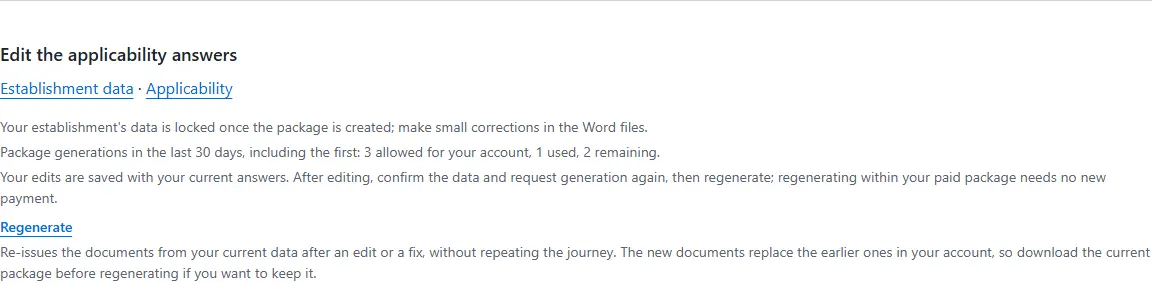
- The establishment data is locked: the name, registration, licence, address, people, logo and document code. Small corrections are made in the Word files.
- Your answers about your activity, products and site stay changeable within your main activity, such as sterile items, servicing or additional sites.
- After changing an answer, confirm the data again, then create the package. You have 3 creations in every 30 days, with no new payment within your paid package.
- The new package replaces the previous one in your account, so download your current package before creating it again if you want to keep it.
- Changing your main activity means another price tier and another package, so write to support for that.